Bring your number
or choose a new one.
A US, UK or Australian number that rides on your Pangia plan. Calls, texts and your bank’s codes arrive in the app.
United States, United Kingdom
and Australia.
Choose a new number in any of the three, or bring the one you already have. More countries on the way.
Checked one at a time.
That’s why they’re trusted.
Every Pangia number belongs to a real person with a real tie to that country. No bulk sign-ups, no throwaway numbers. You can get one if any of these is true.
You hold a passport from that country
Eligible now. Scan your passport in the app. It takes about a minute and your number is live straight after.
You live there, on a different passport
Eligible with a quick check. Send us proof of your address there, a bill or a bank statement, and we unlock it within a day.
You run a business registered there
Eligible with a quick check. Send us the company name and its registration or tax number, an EIN or company number, and we unlock it within a day.
Everything a number should do.
Everywhere.
Every number,
on one screen.
Work, the trip, home. Each number has its own page and you choose which one you call or text from, per conversation.
How to bring
your number.
Keep the number your mom has saved.
- 1Tap Port Existing Number
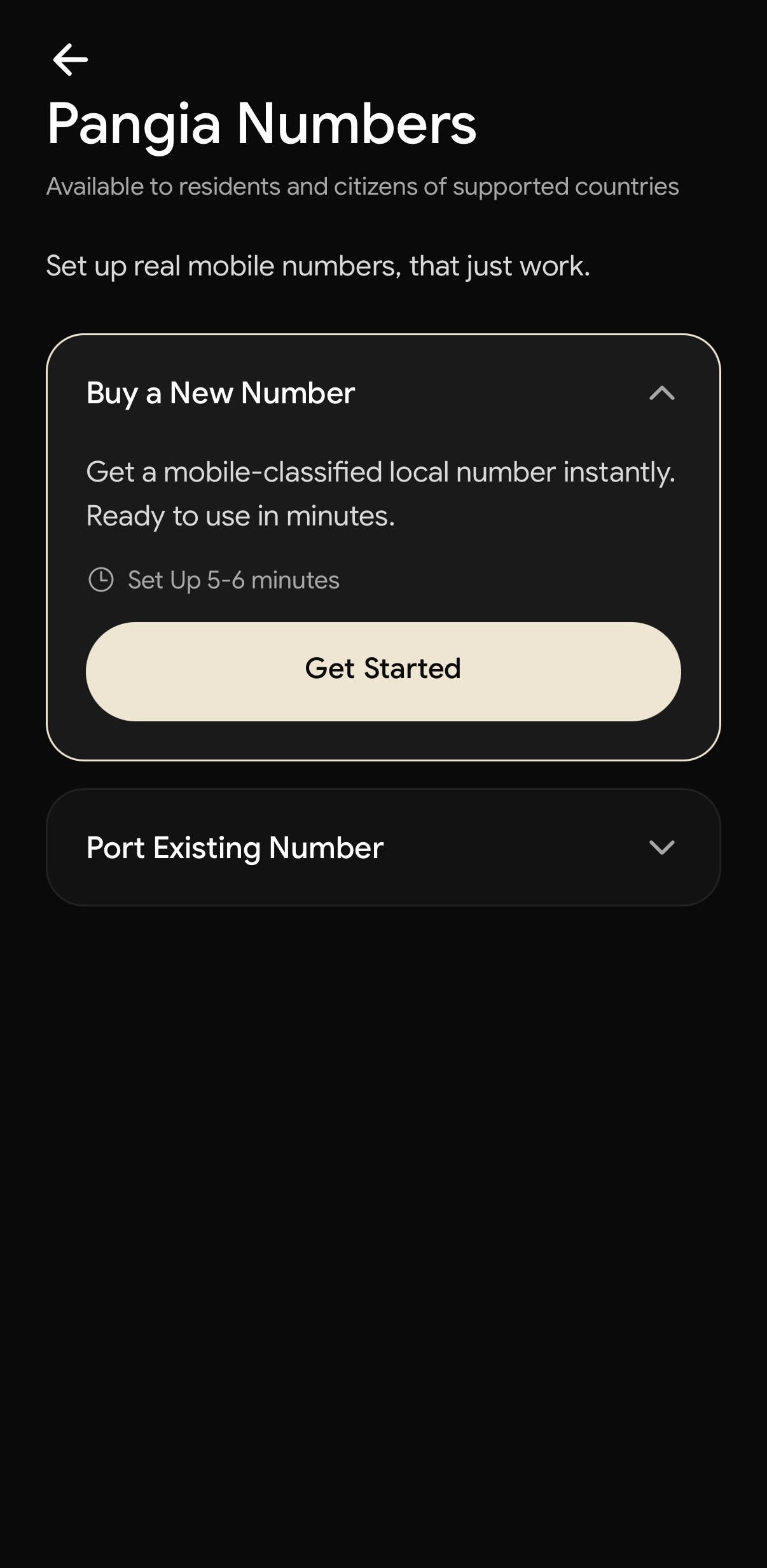
- 2Confirm how calls and texts work
Just to confirm
Important things to know before we continue.
Calls and Texts come through this app nowI understand calls and texts to this number happen in the Pangia app, not my phone’s native Phone or Messages apps.iMessage is changing as you know itI understand I need to change my iMessage settings to use my Apple ID, so people can still message me there.Confirm & Continue - 3See what you keep
Good news,
You keep most of it.Move iMessage to your Apple ID and make Pangia your main number.
You keepiMessage via your Apple IDFaceTime (same Apple ID)Group chats, if everyone’s on iPhoneWhat changesCalls & texts to this number happen in the Pangia app, not your phone’s native apps.You gainCalls, texts & data with PangiaUse your number anywhereOne number built for travelContinue with PangiaI’m not ready to change iMessage - 4Move iMessage to your Apple ID
Move iMessage
to your Apple IDThis keeps your iMessage connected after your number moves.
1Open Settings on your iPhone2Tap Messages3Tap Send & Receive4Select your Apple ID for iMessageThis won’t delete your messages. You can always change it back.I’ve updated iMessageDo this later
Mobile numbers from the UK, US and Australia. Landlines and VoIP can’t move yet.
The questions people ask.
Bringing the number you have, or choosing a new one. Pick your side.
Yes, that is what porting is. Your number moves into Pangia and your old carrier lets you go. Mobile numbers only for now; landlines and VoIP numbers stay where they are.
Ready to ditch your carrier?
Bring your number.
Numbers live inside the Pangia app. Download it, then open Numbers.